Understanding Color Printing
Color printing is a fundamental aspect of producing visually compelling and accurate printed materials. It involves a complex interplay of color models, printing technologies, and precise calibration to ensure that the output faithfully reproduces the original digital design. Grasping the essentials of color printing can significantly enhance the quality of your printed documents and artworks, whether you are printing marketing materials, photographs, or detailed graphics.

Color Models in Printing
At the core of understanding color printing are the color models used to represent and reproduce colors on different mediums. The two primary color models are RGB and CMYK, each serving specific purposes and suited to different types of displays and printing processes.
RGB Color Model
RGB stands for Red, Green, and Blue. This model is predominantly used for digital screens such as monitors, smartphones, and tablets. In the RGB model, colors are created through the additive blending of red, green, and blue light. When all three colors are combined at full intensity, the result is white; when none are combined, the result is black. RGB is highly versatile for on-screen viewing but requires careful conversion when preparing images for print to ensure color accuracy.
CMYK Color Model
CMYK stands for Cyan, Magenta, Yellow, and Key (Black). This subtractive color model is the standard for color printing. It works by layering tiny dots of each ink to create a broad spectrum of colors. The process subtracts light from a white background, with the inks absorbing certain wavelengths to produce the desired hues. Professional printers utilize the CMYK model to accurately reproduce colors from digital artwork onto physical media, ensuring consistency and vibrancy in printed outputs.
Applications of Color Models in Printing
- Digital Design: Files created in RGB are typically converted to CMYK before printing to match the specifics of the printing process.
- Photographic Prints: High-quality photo printing relies on precise CMYK inks to capture the richness and detail of original images.
- Marketing Material: Brochures, flyers, and posters demand accurate color reproduction to maintain brand integrity and impact.
- Fine Art Reproduction: Art galleries and artists often utilize specialized color management workflows to ensure print fidelity to the original artwork.
Choosing the Right Color Printing Method
The decision to use a specific method depends on factors such as the volume of prints, desired quality, and budget. Digital printing technologies, such as inkjet and LED or toner-based systems, are widely used for short runs and high quality, while offset printing remains the standard for large quantities requiring consistent color matching.
Summary
Understanding the basics of color models and their application in printing services helps users select the appropriate workflow and settings to achieve accurate and vibrant color reproduction. Whether preparing files or selecting a printing service, awareness of these fundamental principles ensures high-quality results that meet your expectations for color fidelity and clarity.
Official Methods to Achieve Accurate Color Printing
To ensure vibrant and true-to-source color reproduction, it is essential to utilize well-established printing techniques that are compatible with your printer and workflow. Relying on professional tools and settings helps in obtaining consistent results, especially for high-quality projects or bulk prints.
Utilize Professional Color Management Systems
Implementing color management workflows involves calibrating your monitor and printer to communicate accurately about color profiles. Most advanced printing services support the use of ICC profiles, which specify how colors should appear across different devices. By embedding these profiles in your digital files, you help the printer reproduce colors more faithfully, reducing discrepancies and achieving the desired vibrancy.
Choose the Correct Color Mode in Your File
Before sending your files to print, ensure they are in the appropriate color mode. Files should typically be converted from RGB (Red, Green, Blue) to CMYK (Cyan, Magenta, Yellow, Black) for commercial printing processes. This conversion ensures that colors are represented within the gamut that the printer can reproduce, avoiding dull or mismatched outputs.

Adjust Printer Settings Correctly
Most printers have dedicated settings to optimize color printing. Always select color printing mode and avoid options like grayscale or black-and-white modes unless intentionally specified. Check that your printer is loaded with the appropriate color cartridges or inks, as using outdated or low-ink cartridges can compromise color quality. Additionally, in printer preferences, select high-quality or photo modes when necessary to maximize color fidelity.
Use High-Quality Paper and Inks
The substrate plays a vital role in color reproduction. For printed images where color accuracy is paramount, choose glossy, semi-gloss, or specially coated paper designed for color printing. The type of paper affects how inks are absorbed and reflected, impacting how colors appear. Correct ink selection complements the paper choice, resulting in more precise and vibrant prints.
Perform Regular Printer Maintenance
Maintaining your equipment is essential for consistent color output. Regular cleaning of print heads, alignment calibration, and updates on printer drivers help mitigate common issues such as color streaks, uneven tones, or faded images. Using manufacturer-recommended cleaning kits and following routine maintenance schedules ensures your printer continues to produce optimal color quality.
Choose Legitimally Supported Printing Services
Professional printing providers that adhere to industry standards often utilize high-end printers equipped with advanced color calibration tools and support for ICC profiles. When printing large or critical projects, selecting reputed services ensures the use of appropriate machinery and technical expertise, leading to superior color accuracy and overall print quality.
Understanding Color Printing
Color printing involves more than simply selecting the color option on your printer. It requires careful attention to the interplay of hardware capabilities, print settings, and color management techniques to achieve accurate and vibrant results. When aiming to print in color, it is critical to understand how different components and configurations influence the final output. Accurate color reproduction relies on the use of compatible printing hardware, proper file preparation, and appropriate printer settings that optimize color fidelity.
Color Management and Calibration
One foundational aspect of professional color printing is consistent color calibration. Calibration ensures that the colors represented on-screen match the printed output. This process typically involves using ICC profiles and color calibration tools that adjust both monitor displays and printer outputs. Consistent calibration minimizes discrepancies caused by hardware variability, ensuring that the colors you see in digital files are reproduced accurately in print.

Color Profiles and ICC Support
ICC profiles serve as industry-standard files that describe how colors should be interpreted and rendered by printers and monitors. When printing in color, selecting the appropriate ICC profile for your printer and paper type ensures consistency and accuracy. Advanced printing services, such as those employing high-end printers, often utilize custom ICC profiles tailored to specific media to achieve the most true-to-life colors.
Choosing the Right Hardware for Color Fidelity
High-quality printers are equipped with advanced color management features, supporting multiple ink or toner colors beyond the basic CMY (Cyan, Magenta, Yellow) for broader color gamut and improved color accuracy. Inkjet printers designed for professional use usually feature additional color tanks, such as light cyan, light magenta, or photo black, which help produce smooth gradients and precise hues. When selecting equipment for critical color jobs, considering these specifications is essential.
Color Printing in Office and Commercial Settings
In professional environments, color printing often involves high-end digital presses or large-format printers capable of simulating photographic quality. These printers typically employ sophisticated calibration routines and utilize controlled environments to maintain color consistency. Reputed commercial print providers also perform regular maintenance and color testing, which ensures that each print run meets stringent quality standards.
Proper Maintenance and Handling of Printing Supplies
For consistent color output, the maintenance of printing equipment is vital. Regular cleaning of print heads and replaceable components, along with the use of high-quality inks and papers, prevents color degradation. Additionally, storing supplies in optimal conditions reduces the risk of color contamination or deterioration that could influence print quality.
Summary
Achieving optimal color output from your printing devices demands a holistic approach involving calibration, appropriate media selection, and supported hardware capabilities. When these elements are properly aligned, they enable reliable reproduction of colors, whether for professional photography, marketing collateral, or detailed graphics for presentations. Employing legitimate, industry-standard practices and equipment ensures you consistently produce vibrant images with accurate color representation, elevating the overall quality of your print materials.
How to Print in Color: Step-by-Step Instructions
Printing in vibrant, true-to-life colors requires a combination of correct file setup, appropriate printer configuration, and understanding the nuances of color management. For users aiming for professional-quality results, following a precise workflow can help ensure colors are accurately reproduced across different devices and media.
Optimizing Your Document for Color Printing
Begin by preparing your digital file with high color accuracy in mind. Use editing software that supports color profiles, such as Adobe Photoshop, Illustrator, or InDesign. Assign the correct color space, typically RGB for digital sources and CMYK for printing purposes, depending on your printer's requirements. Incorporate standardized color profiles, like sRGB or Adobe RGB, to maintain consistency.
When designing your document, avoid using overly saturated or incompatible color combinations that might cancel out or shift during printing. Instead, opt for colors within the printer's gamut to ensure faithful reproduction. Embed color profiles within your file to guide the printer’s color management system effectively.
Configuring Printer Settings for Color Accuracy
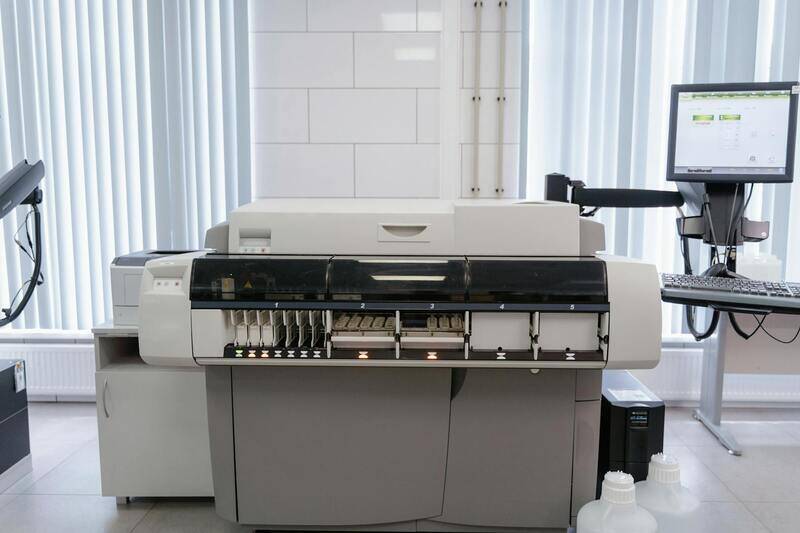
Access your printer’s advanced settings through the print dialog. Select the correct media type, such as high-quality paper or specialty media, which can influence how colors are rendered. Ensure that the color management or color correction options are enabled, allowing the printer to interpret your file's color profiles correctly.
If your printer software offers options like 'Color' or 'Photo' mode, select these to maximize color accuracy and vibrancy. Avoid settings like grayscale or black-and-white mode unless specifically required for your output. Regular calibration of your printer, including color calibration and ICC profile management, also plays a vital role in achieving consistent results.
Utilizing Color Management in Printing Applications
Most professional printing applications and driver interfaces include color management controls. Use these features to specify color profiles, rendering intents, and simulation options. For example, choosing 'Perceptual' rendering intent can help maintain smooth color transitions, while 'Relative Colorimetric' preserves exact color matches for specific hues.
Always preview your print job using the application's soft proofing tools. This enables you to visualize how colors will appear once printed and make necessary adjustments before committing to the actual print run.
Final Checks and Test Prints
Before executing a large print order, perform test prints. Use a standard color chart or divide your document into sections to compare colors across multiple prints. Adjust printer settings, media, and color profiles based on these test results to refine output quality.
Employing proper file preparation, advanced printer configuration, and color management principles ensures that each print in color faithfully matches your digital intent. Paying attention to these details can significantly mitigate common issues like color shifting, dull vibrancy, or unintended grayscale conversions.
How to Ensure Accurate Color Output When Printing in Color
Successfully achieving of vibrant and true-to-digital color prints relies on adherence to official methods for color management and proper printer configuration. While third-party software or rudimentary settings might seem convenient, they often fall short of delivering professional quality. Instead, focusing on legitimate practices such as utilizing ICC profiles, managing color calibration, and understanding printer driver functionalities is essential for results that meet expectations.
Leveraging ICC Profiles for Color Fidelity
International Color Consortium (ICC) profiles serve as standardized data sets that define color attributes for specific devices, including monitors, scanners, and printers. Applying the correct ICC profile within your printing workflow ensures that the colors displayed on your screen accurately translate to physical output. This process involves embedding or selecting profiles in your design or layout software, which communicates the intended color intent to the printer. By doing so, you minimize discrepancies caused by device variability and maintain color consistency across different media and printing setups.
Proper Printer Calibration and Maintenance
Consistent color output starts with regular calibration of your printing hardware. Calibration involves adjusting the printer to produce colors that match the source files, accounting for factors such as ink density, media type, and environmental conditions. Many professional printers include calibration tools and software to simplify this process. Additionally, maintaining the printer—such as cleaning print heads, replacing worn-out cartridges, and updating firmware—ensures optimal performance and accurate color reproduction. Proper calibration and maintenance mitigate issues like dull vibrancy, unexpected color shifts, or streaking, fostering reliable and high-quality results.
Configuring Printer Drivers for Color
Printer drivers provide vital controls over how your device interprets and prints color information. When printing in color, always select the correct color mode within the driver interface, typically labeled as 'Color' or 'Color Management.' Avoid using black-and-white or grayscale modes unless intentionally required. Many professional drivers offer options to manage color profiles directly, allowing you to specify or overlay ICC profiles, rendering intents, and color matching algorithms. Ensuring these settings align with your document’s color specifications guarantees fidelity and vibrancy in your printed output.
Implementing Color Management Workflow in Printing Software
Most design and office applications incorporate built-in color management controls. When preparing files for printing, ensure that your software’s color management settings are configured to respect embedded color profiles and rendering intents. For example, choosing 'Perceptual' can help maintain smooth transitions in color gradients, while 'Relative Colorimetric' preserves specific hues. Always preview your print job using soft proofing features, which simulate how colors will appear on paper, allowing you to make precise adjustments before committing to physical prints.
Conducting Test Prints for Calibration and Consistency
Before undertaking large print runs, perform test prints using calibrated settings and standardized color charts. These tests reveal how your printer reproduces specific colors and allow for iterative adjustments. Compare test results to your digital references and tweak print settings, media choices, and color management profiles accordingly. This iterative process fine-tunes your workflow, ensuring each print aligns with your digital intent and producing consistent, high-quality color results over time.
Understanding Color Printing
Color printing extends beyond merely selecting a color option; it involves a complex interplay of technologies, color management, and meticulous prepress procedures to ensure that the colors you see on your screen match the printed output. This process is crucial for maintaining brand consistency, producing accurate photographs, and achieving the desired visual impact in various printed materials. To master the art of printing in color, it’s essential to understand the official methods and standardized procedures used across professional settings, ensuring fidelity, vibrancy, and consistency in each print job.
Ensuring Accurate Color Reproduction
Accurate color reproduction hinges largely on the use of standardized workflows, color management systems, and calibrated equipment. Calibration of monitors and printers with appropriate color profiles guarantees alignment between digital files and printed results. Color profiles—embedded within image and document files—serve as comprehensive instructions for device color reproduction, guiding how colors are interpreted and printed. This synchronization is vital to prevent issues like color shifting, dull prints, or unexpected hues.

Implementing Color Management Workflows
Implementing a robust color management workflow involves configuring your software to respect embedded color profiles and rendering intents. Most professional print software allows setting color management policies, such as choosing between perceptual, relative colorimetric, or saturation rendering—each suited for different types of images and output goals. When preparing files, always embed color profiles and conduct soft proofing to simulate how colors will look once printed, adjusting your images as necessary for optimal results.
Preparation of Files for High-Quality Printing
Preparing files meticulously is fundamental to achieving superior color output. Use high-resolution images and ensure all color profiles are embedded before sending files to the printer. Vector graphics should have spot colors defined with pantone references where appropriate. Additionally, converting color spaces to a printer-friendly profile, such as CMYK, ensures predictable results. Double-check color swatches, gradients, and illustrative elements to maintain consistency, avoiding color mismatches and tint shifts in the final print.
Practical Standards for Color File Preparation
Follow official standards such as maintaining color consistency across multiple printing runs by using standardized color charts and reference swatches. For large-scale projects, perform test prints to calibrate your printer and color profiles, then compare the prints with digital references. Adjust printer settings and color management profiles based on these tests, iterating to perfection. This disciplined approach minimizes discrepancies and ensures high fidelity between digital images and their printed equivalents.
Color Printing Methodologies in Professional Settings
Professional environments typically utilize dedicated color management workflows involving hardware calibration tools, certified ICC profiles, and advanced printing software. High-end printers support aesthetic and color accuracy demands through features like multi-pass printing, color gamut enhancement, and precise ink control. Ensuring your workflow follows these standardized procedures enhances the overall quality and adherence of printed colors to original design intents.
Official Recommendations for Color Printing at Scale
For large print runs, consider employing standardized color matching systems such as Pantone color matching, which provides a universal color reference. Additionally, rigorous calibration schedules for both monitors and printers should be maintained, along with consistent use of approved substrates and inks. Utilizing professional proofing processes, including digital and hard copy proofs, helps catch color issues early, reducing material waste and ensuring the final product meets client specifications.
Tools and Equipment for Reliable Color Output
Investing in quality hardware such as spectrophotometers, colorimeters, and high-end printers with industrial-grade inks is critical. These tools facilitate precise calibration, color measurement, and consistent output across printing sessions. Using official color management software that integrates seamlessly with hardware and applications further solidifies your workflow, ensuring every print aligns perfectly with your digital design, regardless of the complexity or scale of the project.
Incorporating these methodologies and maintaining strict consistency in your color management practices will empower you to produce vibrant, accurate, and professional-quality color prints that meet the highest standards of quality and fidelity. This approach is essential for professionals aiming to deliver visually compelling materials that stand out and accurately represent the intended design.
Understanding Color Printing
Color printing involves the reproduction of images and text in a variety of hues to achieve a vibrant and accurate visual presentation. It is essential for businesses that require professional marketing materials, artists, photographers, and anyone seeking to produce visually striking documents. Achieving consistent and precise color output requires an understanding of the fundamental principles of color management, the technical capabilities of available printing equipment, and the preparation of digital files tailored for color reproduction.
Color Management Fundamentals
At the core of successful color printing lies effective color management. This process involves ensuring that colors on your screen closely match those in the printed output. It demands calibrated monitors, consistent workflows, and the use of standardized color profiles. When properly managed, colors remain true to the original designs, providing clients with accurate representations and preventing costly reprints due to color discrepancies.
The Role of Color Profiles
Color profiles serve as digital references that define how colors are displayed and reproduced across different devices. Embedding appropriate profiles within your files ensures that printers interpret colors correctly, irrespective of variations between hardware or software. When preparing files for print, embedding standardized profiles like Adobe RGB or sRGB can dramatically improve color accuracy, especially when consulting with professional printers or using high-end equipment.
Why Color Consistency Matters
Consistency in color is particularly critical for branding and marketing materials, where even subtle deviations can impact brand recognition. By adhering to strict calibration routines and employing profiles tailored for specific materials and inks, organizations can maintain color fidelity across multiple print runs. This consistency reinforces brand identity and meets client expectations for quality.

Color Reproduction Challenges
Despite advancements, several factors can influence color accuracy, including ink limitations, substrate properties, and environmental conditions. For instance, certain colors may appear differently on various paper stocks, and some hues are more difficult to reproduce due to printer limitations. Recognizing these challenges allows for better planning and the selection of appropriate materials and technologies to mitigate color discrepancies.
Evaluating Print Quality
Regular evaluation of printed samples against digital proofs helps identify deviations early. Employing tools such as spectrophotometers to measure color output ensures that the printer maintains consistent performance over time. Routine calibration based on these measurements guarantees that subsequent prints retain the desired color qualities.
Implementing Best Practices
- Maintain regular calibration of monitors and printers
- Use standardized color profiles suited to the printing process and materials
- Prepare files with embedded profiles for better color fidelity
- Perform test prints to verify color accuracy before large runs
- Opt for high-quality inks and substrates that support vibrant color reproduction
By meticulously managing these aspects, users can significantly improve the consistency and vibrancy of their color prints, resulting in professional, eye-catching materials that fulfill the intended design and branding objectives.
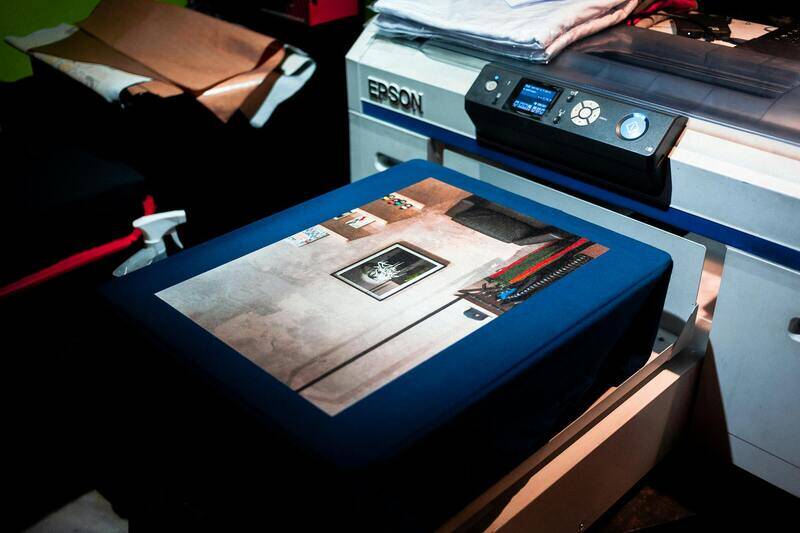
Ensuring Accurate Color Output in Your Print Jobs
Achieving vibrant, true-to-life colors in printed materials involves a combination of proper printer settings, suitable hardware, and meticulous file preparation. When Print in color is set correctly and supported by compatible devices, the printed results will match your digital expectations, reinforcing brand consistency and visual appeal.
Official and Reliable Methods for Color Printing
To guarantee consistent color reproduction, consider the following official practices:
- Utilize Appropriate Color Profiles: Embedding ICC (International Color Consortium) profiles in your files ensures that your colors are interpreted correctly across different devices and printing processes. Using standardized profiles for specific substrates and color spaces helps maintain accuracy.
- Calibrate and Profile Your Devices: Regular calibration of monitors and printers is key. Use professional calibration tools to adjust color settings and create accurate profiles, reducing discrepancies between digital designs and printed outputs.
- Choose High-Quality Inks and Substrates: Using manufacturer-recommended inks and paper stocks optimized for color vibrancy enhances the intended color appearance. High-quality media support a broader color gamut and better color stability.
- Follow Manufacturer Instructions for Printer Settings: Always consult your printer manual for recommended color management settings. Select color options within printer driver preferences, such as 'High Quality' or 'Photo Mode,' which are designed for superior color reproduction.
- Use Genuine Printer Drivers: Installing and updating official drivers ensures compatibility and access to the full range of printer features for color management. Avoid third-party software that may not support optimal color handling.
Implementing Best Practices for Color Accuracy
Alongside official methods, adopting consistent workflows minimizes color inconsistencies. These include:
- Pre-Press File Preparation: Prepare files with embedded profiles and ensure color accuracy via proofing before printing. Use professional design software that supports precise color control.
- Test Prints and Color Checks: Perform small test runs to verify color fidelity. Use color measurement tools such as spectrophotometers or densitometers to quantify deviations and make necessary adjustments.
- Maintain Proper Environmental Conditions: Keep your printing environment controlled for temperature and humidity, as fluctuations can affect ink behavior and paper properties, influencing final colors.
- Regular Equipment Maintenance: Clean printer heads, replace worn-out ink cartridges, and update firmware regularly. Well-maintained hardware produces more consistent and accurate color outcomes.
- Adopt a Consistent Color Workflow: From digital design to final print, ensure all color management settings are aligned. Standardize procedures across projects for reliable results.
Additional Considerations for Color Printing Success
Investing in professional-grade equipment and adopting detailed workflows ensures the highest level of color fidelity. For instance, selecting printers with wider color gamuts, such as those utilizing additional ink channels (e.g., light cyan, light magenta), produces more nuanced and precise hues. Moreover, maintaining a consistent file format—preferably in color-managed formats like PDF/X—helps prevent color shifts during file transfers or print executions.