

You uploaded the file, paid, and got an order confirmation. Then nothing. The status has said "in production" for three days, the delivery date is tomorrow, and the only thing you know for certain is that nobody has emailed you. Online print ordering removes the counter conversation, and with it the ability to simply ask.
Order tracking on a print job is not like tracking a parcel, because most of the timeline happens before anything is packed. Understanding what the statuses actually mean tells you when to wait and when to pick up the phone.
What the status labels really describe
Wording differs between print sites, but the underlying stages are consistent.
Received or pending. Your order exists and your payment has cleared. Nothing has been done to the file. If it sits here beyond a few hours during business time, something is wrong with the payment or the upload rather than the printing.
Preflight or file check. Automated software, and on many jobs a person, is checking bleed, resolution, fonts, colour space and page count. This is where most delays start, because a file that fails preflight usually pauses the job until you respond. The notification about it can and does land in spam.
Approved or ready to print. The file passed and the job is queued. It is now waiting for a slot on the right press with the right stock, which is a scheduling problem rather than a production one. A job can sit here legitimately for a day.
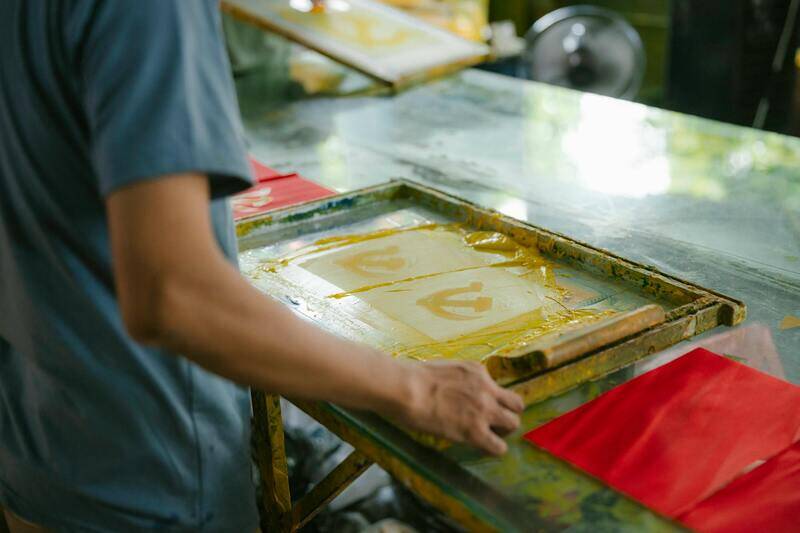
In production. Printing, and everything after it: drying, cutting, folding, laminating, binding. This is one label covering several days of work on a finished job, which is why it feels like nothing is happening.
Finishing or quality check. The pieces exist and are being trimmed, bound or inspected. From here the risk of a delay drops sharply.
Dispatched. Handed to a courier, usually with a consignment number. Only at this point does normal parcel tracking apply.
Why the clock does not start when you order
Almost every printer quotes turnaround from file approval, not from payment. If you upload at 6pm on Friday and the file passes preflight on Monday morning, a three day turnaround means Thursday, not Tuesday. This single detail explains most of the disagreements customers have about late orders. Our guide to print turnaround times goes through how to work backwards from a deadline.
Where jobs actually stall
In order of how often they happen:
- A preflight query you did not see. The job is waiting on you, not on the printer. Check the order page itself rather than trusting email.
- Stock out of the warehouse. A specific paper, weight or colour is unavailable and the printer is waiting for a delivery. You are usually offered an alternative if you ask.
- Finishing queues. Lamination, foiling and binding often run on fewer machines than printing. A job can print on time and then wait two days for a binder.
- Outsourced elements. Specialist finishes go to a subcontractor, and that leg is invisible in the tracking.
- A failed quality check. The job printed, someone rejected it, and it is being rerun. Frustrating, but it is the system working.
- Courier collection missed. The job is finished, boxed, and sitting on a loading bay until tomorrow's collection.
How to chase without wasting a day
When you do get in touch, the difference between a useful answer and a holding reply is what you include.
Give the order number first, then a single specific question. "Order 41822, due Thursday, status has been in production since Monday. Is it still on schedule for Thursday, and if not, what date should I plan for?" is answerable in one reply. "Any update?" gets you "we are checking".
Say what the deadline is for. A printer can often reprioritise a job for an event on a fixed date, and will not know to do that unless you say so. If part delivery would solve your problem, offer it. Half the run tomorrow and the rest next week is frequently possible and rarely offered unprompted.
Ask for a specific commitment rather than reassurance. A date and a dispatch method is something you can plan around. "It should be fine" is not.
What to do when it will genuinely be late
Once you know the original date is gone, the decisions are about damage limitation.
Ask whether an upgraded courier can recover a day, and what it costs. On a job that is already late, many printers will absorb that cost if you ask directly.
Ask whether a reduced quantity can be finished sooner. Fifty programmes for the top table on time is better than four hundred the day after the event.
Ask about a simpler specification. Dropping a lamination or changing a bind can pull a job forward by days, and you may prefer that trade to being late. See finishing options when ordering print online for which choices cost the most time.
Then, separately, deal with the money. Keep the two conversations apart: getting the job delivered comes first, and a refund or credit discussion works better once the pressure is off. If what arrives is wrong rather than late, our guide on documenting a print order that arrives wrong covers the evidence to gather.
Ordering with fewer surprises next time
Most tracking anxiety is preventable at the ordering stage. Upload a file that passes preflight first time and you skip the stage where jobs sit waiting on a customer reply. Order with a buffer of two or three days beyond your real deadline, and a finishing queue stops being a crisis. Put a real phone number on the order, because a printer with a query will call before they will wait for an email.
How we handle order visibility
We publish a status on every order and, more usefully, we tell you when the clock started rather than only when you paid. If a file raises a preflight query we contact you directly instead of leaving the job parked in a queue, because a job waiting silently on a customer reply is the single most common way an online print order goes late.
If a job is going to miss its date, you will hear it from us with a revised date and the options for recovering it. To start an order, see our printing guides for specification help, or go straight to our printing services. For anything urgent, contact us with your deadline before you place the order rather than after.
Frequently asked questions
Why does my order still say in production after the delivery date?
Usually finishing or dispatch has not been marked off, or the job has genuinely slipped. Ask for a dispatch date and a courier reference rather than a status update, since those are concrete.
Can I change my file after ordering?
Only before the job enters production, and often only before preflight completes. Ask immediately rather than uploading a second file, because two versions in the system is how the wrong one gets printed.
Does paying for express delivery speed up printing?
No. It shortens only the courier leg. If you need the whole job faster, you need an express production option, which is a different and usually more expensive choice.
Can I cancel a print order?
Before production starts, generally yes. Once your file has been imposed and printed, the material exists and cannot be resold, so cancellation is rarely possible. Check the terms at the point of ordering rather than assuming.
